
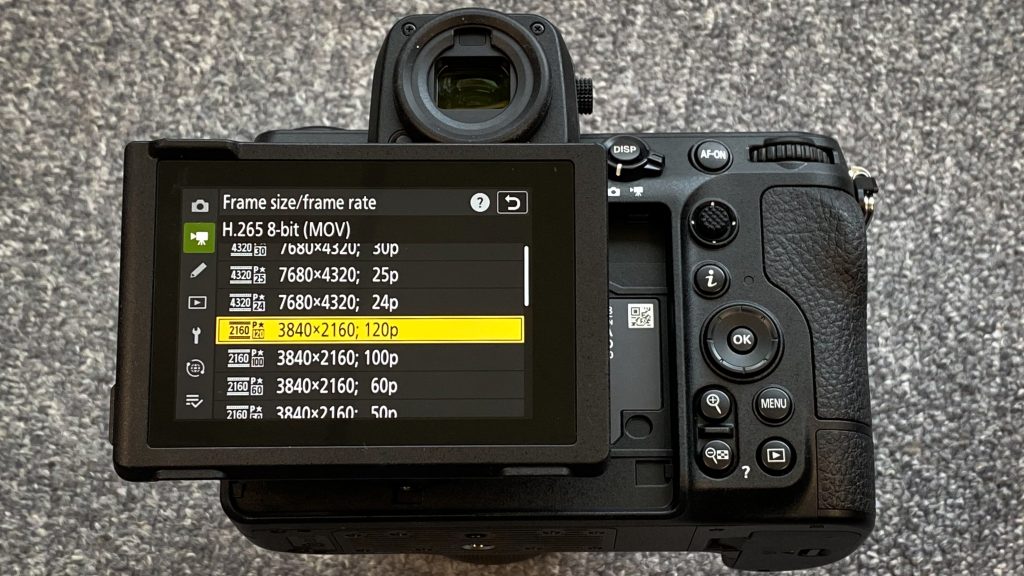
If you’ve ever downloaded or streamed a video file, you’ve likely encountered formats like MP4, MKV, AVI, or MOV. Many people assume these are all the same type of thing, but they’re not. Behind every video file are two key components: containers and codecs.
Understanding the difference between them is essential for anyone working with video, whether you’re a content creator, editor, or just a curious viewer.
What Is a Video Codec?
A codec, short for coder-decoder or compressor-decompressor, is the technology used to compress and decompress video data. Because raw video files are extremely large, codecs help reduce file size while maintaining quality as much as possible, which is just as essential as smooth performance when accessing platforms like the Parimatch slots online.
How Codecs Work
When a video is recorded, it contains massive amounts of data. A codec compresses this data by removing redundancies and unnecessary information. When you play the video, the codec decompresses it so it can be viewed.
Common Video Codecs
Some widely used codecs include:
- H.264 (AVC): The most common codec, balancing quality and file size. Used for streaming, Blu-ray, and online video.
- H.265 (HEVC): A more efficient successor to H.264, offering better compression but requiring more processing power.
- VP9: Developed by Google, often used on YouTube as an alternative to H.265.
- AV1: A newer, open-source codecs designed for high efficiency and future streaming standards.
Why Codecs Matter
- File Size: Better compression means smaller files.
- Quality: Some codecs preserve more detail than others.
- Performance: Advanced codecs may require more powerful hardware to decode.
- Compatibility: Not all devices support all codecs.
What Is a Video Container?
A container is the file format that holds everything together with video, audio, subtitles, and metadata. Think of it as a “wrapper” for the content inside.
What a Container Includes
A container can hold:
- Video streams (encoded with a codec)
- Audio tracks (also encoded with codecs like AAC or MP3)
- Subtitles
- Chapter markers
- Metadata (titles, timestamps, etc.)
Common Video Containers
Here are some popular container formats:
- MP4 (.mp4): The most widely supported format across devices and platforms.
- MKV (.mkv): Highly flexible, supports multiple audio tracks and subtitles.
- AVI (.avi): Older format with limited modern features.
- MOV (.mov): Developed by Apple, commonly used in professional editing.
- WebM (.webm): Designed for web use, often paired with VP9 or AV1 codecs.
Why Containers Matter
- Compatibility: Some devices only support certain containers.
- Features: Advanced containers support multiple tracks and subtitles.
- Streaming: Some containers are optimized for online playback.
The Key Difference: Container vs Codec
The easiest way to understand the difference is through an analogy:
- Codec = Language (how the video is encoded/compressed)
- Container = Package (how everything is stored and delivered)
For example:
A file named movie.mp4 is a container (MP4)
Inside it might be:
- Video encoded with H.264
- Audio encoded with AAC
- Subtitles in a text format
Two files with the same container (e.g., MP4) can use completely different codecs and behave very differently in terms of quality and compatibility.
How Containers and Codec Work Together
When you play a video:
- The media player reads the container format
- It identifies the codecs used for video and audio
- It uses the appropriate decoders to play the content
If your device supports the container but not the codec, the video may fail to play. This is why sometimes a file opens but shows a black screen or no sound.
Real-World Examples
Example 1: MP4 File
- Container: MP4
- Video Codec: H.264
- Audio Codec: AAC
This combination is widely supported and works on most devices.
Example 2: MKV File
- Container: MKV
- Video Codec: H.265
- Audio Codec: DTS
This setup offers high quality but may not play on older devices.
Choosing the Right Format
For General Use
- Container: MP4
- Codec: H.264
- Best for compatibility across phones, PCs, and browsers.
For High Quality / Archiving
- Container: MKV
- Codec: H.265 or AV1
- Ideal for storing high-resolution videos efficiently.
For Web Streaming
- Container: WebM or MP4
- Codec: VP9 or AV1
- Optimized for fast loading and reduced bandwidth.
Common Misconceptions
- “MP4 is a Codec”
This is incorrect. MP4 is a container, not a codec.
- “File Extension Tells You Everything.”
An .mp4 file doesn’t guarantee what codec is inside. You need to inspect the file to know for sure.
- “Higher Compression Always Means Better.”
More compression reduces file size but can also reduce quality if overdone.
Conclusion
Video containers and codecs serve different but complementary roles. Codecs handle how video is compressed and stored, while containers manage how all elements are packaged together. Confusing the two can lead to playback issues, compatibility problems, or unnecessarily large files. By understanding how they work together, you can make smarter decisions when recording, editing, sharing, or streaming video, ensuring the best balance between quality, size, and compatibility.