
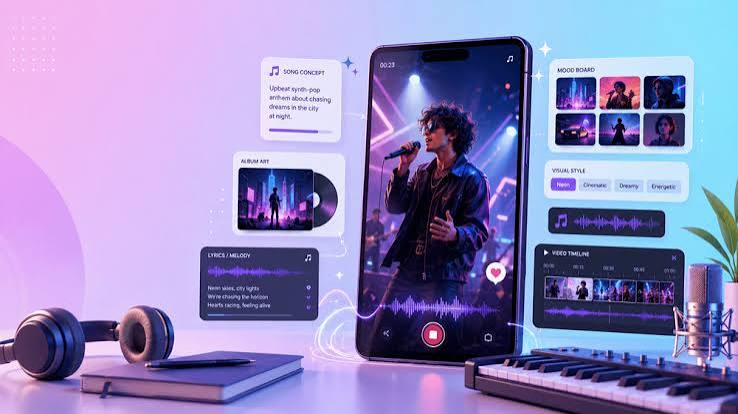
Making a song is only one part of releasing it into the world. Independent creators also need a visual, a format that suits the platform, and enough project organization to revise everything without starting over
That can sound like several separate jobs, but the work becomes much simpler when each decision is made in the right order. The goal is not to automate every creative choice. It is to move from an early idea to a finished audio and video package without losing the identity of the song along the way
Start With a Clear Use Case
Before writing a prompt or opening an editor, decide where the finished piece will appear. A full song for a release page has different needs from a short chorus preview, a podcast intro, or a product clip
This first decision affects almost everything that follows. It helps determine the length of the track, the amount of repetition that feels natural, whether the vocal needs to carry a message, and how much room the video should leave for captions or a title
A useful brief can be very small. Write down the intended audience, the main mood, the platform, the approximate duration, and the one moment people should remember. That is enough direction to begin without turning the project into a rigid specification
Write the Song Brief Before Generating
AI tools respond better to a clear musical intention than to a pile of fashionable adjectives. Instead of asking for something cinematic, emotional, powerful, modern, and viral all at once, describe the role the music needs to play
For example, a creator might ask for a restrained electronic track that leaves space for narration, then becomes brighter during the final section. A songwriter might begin with lyrics and specify a warm vocal, an acoustic arrangement, and a chorus that feels wider than the verses
The homepage of CreateMusic AI supports both text-led and lyrics-led song creation, which makes it suitable for testing either kind of brief. The important step is to treat the first result as a direction to evaluate, not as a finished answer
Keep the brief next to the generated drafts. When a version sounds impressive but no longer serves the original purpose, the written brief makes that drift easier to notice
Compare Drafts for Direction
Generating more options does not always produce a better decision. After a few versions, small differences begin to blur and the creator can lose track of what was actually working
A better approach is to compare a limited number of drafts with one question at a time. First listen for the main hook. Then compare the pacing, the vocal character, and the space available for visual changes. If one version has the strongest chorus while another has the better opening, those observations are more useful than simply choosing the most polished file
It also helps to listen away from the screen. A timeline encourages people to watch sections arrive instead of hearing the song as a listener would. Play the draft through ordinary headphones, a phone speaker, and at a low volume. The central idea should still be recognizable even when the sound is not presented under ideal conditions
Edit the Structure Before Building the Video
Visual work becomes expensive in time when the song structure is still moving. A changed chorus length can break caption timing, image transitions, and every carefully placed scene after it
Lock the broad arrangement first. Mark the introduction, verses, chorus entries, instrumental breaks, and ending. Check whether each section earns its length and whether the most memorable moment arrives at the right time for the intended platform
This does not require a perfect master. It only requires a stable map. Small sound changes can happen later, but the timing of major sections should be dependable before video production begins
Let the Song Shape the Visual Plan
The visual concept should come from the song rather than being attached as decoration. Listen for changes in energy, texture, and meaning. Those moments suggest where an image can change, where motion can become more active, or where the frame should become quieter
Create a simple cue sheet with timestamps. Note the first vocal entrance, the hook, the strongest beat change, and the final line. Next to each cue, write the job of the visual. It might introduce the artist, reinforce a lyric, reveal cover art, or give the viewer a clean moment to read a title
This step prevents a common problem: changing images on every beat merely because the software makes it possible. Constant motion can make a song feel smaller by competing with it. A few intentional changes usually create a stronger sense of progression
Choose a Video Format That Fits the Material
Not every track needs a fully staged narrative video. Sometimes the creator already has strong cover art, portraits, posters, or product images. In that case, a photo-led format can add movement, captions, and a visual frame without pretending to be a filmed performance
An AI music video generator can also create a singing video from audio and a singer image. That route makes more sense when the face or character is central to the hook. The same page currently identifies dedicated music visualizer and story video modes as coming soon, so creators should plan around the photo and singing formats that are actually available
The right choice depends on the source material. Cover art works well when the song itself should remain the focus. A singing image can support a character-led clip. If the concept relies on many locations, a detailed narrative, or precise live action, a conventional edit or shoot may still be the clearer option
Check Timing, Text, and Framing
Once the first video draft exists, watch it once with sound and once without sound. The silent pass reveals whether the visual sequence has its own rhythm and whether titles remain readable. The audio pass shows whether cuts support the music or interrupt it
Keep captions and titles away from interface areas used by social platforms. Test the smallest screen that matters, not only the desktop preview. A line that looks elegant on a large monitor can become crowded on a phone, especially when the platform adds buttons, descriptions, and account details around the frame
Text should appear long enough to read naturally. It does not need to repeat every lyric. Select the line that carries the idea of the clip and allow the rest of the visual to support the music
Export With the Destination in Mind
Do not wait until the final export to think about aspect ratio. A horizontal release video, a vertical social clip, and a square preview place the subject in different parts of the frame. Cropping one master file into every shape often removes faces, text, or important artwork
Prepare a clean master, then make platform versions from it. Check the opening frame, the final frame, audio level, spelling, and safe margins for each version. Use filenames that identify the song, format, and revision so the latest export is obvious to anyone opening the folder
It is also worth keeping a version without captions. That gives the creator a flexible asset for platforms that provide native text or for later campaigns that need different messaging
Keep Rights and Project Files Organized
AI-assisted work still needs ordinary production discipline. Save the original brief, selected audio, source images, lyric text, project files, and final exports in separate folders. Record which tool and account produced each asset
Before publishing or using a song commercially, review the current license and usage terms for the specific plan. Rights can depend on subscription level and may change over time. The same care applies to uploaded photographs, artwork, fonts, and any image of a real person
A license page is not a substitute for knowing where every project element came from. Clear records make later edits, client questions, and platform checks much easier to handle
A Complete Workflow Still Needs Human Judgment
AI can shorten the distance between an idea and a workable draft, but it cannot decide what the creator wants to say. The strongest workflow keeps human judgment at every checkpoint: the brief, the chosen song direction, the arrangement, the visual concept, and the final quality check
That is the practical advantage of connecting music and video in one process. The creator is not simply generating more material. Each stage answers a specific question, and each answer gives the next stage better direction
When the workflow is clear, fewer revisions are wasted on avoidable technical changes. More attention can stay where it belongs: on whether the finished song and video feel like one coherent piece