
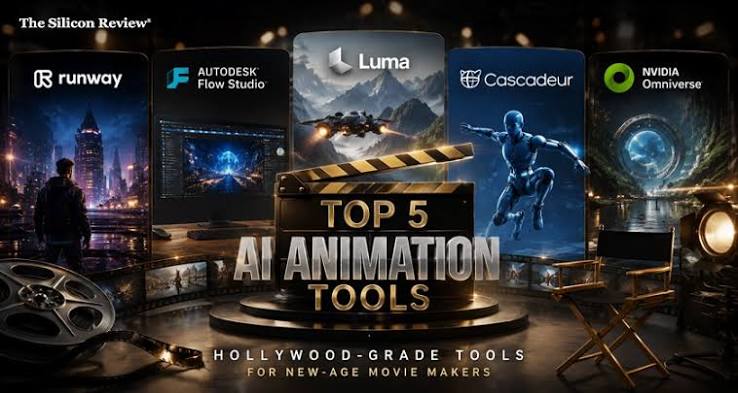
AI video generation tools for 2D and 3D filmmakers now cover animation, 3D assets, and editing. Adobe Firefly’s AI video generator creates videos, animations, and claymation from text, plus 3D animated graphics from images, and its clips move into Premiere Pro and After Effects for finishing.
Imagine an independent filmmaker developing a short film that mixes live action with an animated dream sequence and a CG creature. A few years ago, each piece would have required its own specialist: an animator, a 3D modeler, a VFX artist. AI tools haven’t replaced those roles, but they’ve made early stages much faster. A director can now storyboard a sequence with generated clips, test an animation style before hiring artists, or build a rough 3D creature to block out a scene. The key is knowing which tools handle 2D, which handle 3D, and which fit into a professional editing pipeline.
Firefly is a strong starting point because it spans several of these needs. Adobe says its AI video generator can turn ideas into videos, animations, and claymation, add effects like smoke, water, fire, and lens flares, and quickly create 3D animated graphics based on an image. Clips currently run five seconds at 1080p, and Adobe recommends prompts that describe the shot type, character, action, location, and aesthetic. For studios with larger needs, Adobe Firefly Foundry trains private models on a company’s own IP, supporting image, video, audio, vector, and 3D outputs.
Which AI Tools Handle 2D Animation From Text?
Several AI tools handle 2D animation from text, turning a written description into animated footage in a chosen style.
In Firefly, you can describe an animated scene and specify the style in your prompt, such as hand-drawn, cel-shaded, or claymation, since Adobe lists animations and claymation among the formats its AI video generator can create. That makes it useful for animatics, title sequences, and style tests before committing to full production.
Benchmarks can help narrow your options for stylized work. In Artificial Analysis’s launch analysis of its v2.0 video benchmark, Wan 3.0 ranked first on the Cartoon and Anime style board and the Animation and Gaming use case board. Rankings shift often, so check the live leaderboard.
For final 2D animation, many filmmakers still bring AI-generated references into traditional tools, using generated clips as a guide for timing, framing, and color.
AI Tools for 3D Video Generation From Text or Prompts
AI tools for 3D video generation from text or prompts range from stylized 3D-looking clips to fully editable 3D assets. The table below compares four options.
| Platform | Best for | Key details |
| Adobe Firefly | 3D-style clips and graphics | 3D animated graphics from an image; claymation and animation styles; Premiere Pro and After Effects integration; no watermark |
| Autodesk Flow Studio | CG characters in live-action footage | Wonder 3D generates 3D models from text or images; AI rigging; animate, light, and composite CG characters into footage; exports to Maya, Blender, and Unreal |
| Meshy | Fast 3D assets for previs | Text and image to 3D model; rigging and animation library; exports in formats including FBX, GLB, OBJ, and USDZ |
| Adobe Firefly Foundry | Studio-specific models | Private models trained on a company’s IP, with support for 3D, image, video, audio, and vector |
Flow Studio, formerly Wonder Studio, includes a free tier, according to Autodesk, so you can test 3D generation before upgrading.
Which AI Video Editing Tools Are Built for Professional Use?
AI video editing tools built for professional use add AI to established workflows rather than replacing them.
Adobe Premiere Pro offers Speech to Text in 18 languages and Text-Based Editing, which lets editors build rough cuts by selecting transcript text and remove clips by deleting words. Firefly clips integrate with Premiere Pro and After Effects, so generated shots can be graded, composited, and finished alongside live footage.
For Avid-based teams, the Media Composer Panel SDK brings third-party AI tools directly into Media Composer. Integrations Avid has demonstrated include Quickture for AI transcription and sequence creation, and Digital Nirvana’s MetadataIQ for AI-generated scene descriptions.
Review matters too. Frame.io, part of Adobe’s ecosystem, integrates with Premiere Pro through embedded panels, and its Avid workflow lets editors download reviewer comments as timecode-accurate markers.
Best AI Video Creation Software for Film Production
The best AI video creation software for film production combines quality, control, and clear commercial terms.
Firefly is designed with commercial safety in mind. Adobe says commercial usage eligibility depends on the model used, and its own Firefly models are designed to be commercially safe. Adobe has also expanded Firefly Foundry partnerships with film and TV talent agencies including Creative Artists Agency, United Talent Agency, and William Morris Endeavor, along with studios and production companies such as B5 Studios and Cantina Creative.
Other tools stand out for specific jobs. Runway Gen-4 is built to keep a character consistent across scenes from a single reference image, which helps with continuity. Autodesk Flow Studio focuses on placing CG characters into live-action shots.
Most productions combine tools: generation for previs and B-roll, 3D tools for assets, and professional editors for finishing.
FAQ
Can AI replace animators and VFX artists?
Not on its own. AI speeds up early stages like previs, style tests, and asset blocking, but professionals still shape performance, timing, and final polish. Many tools, including Flow Studio, are designed to export assets for artists to refine.
What file formats work best for moving AI assets into a pipeline?
For video, MP4 files from tools like Firefly drop easily into editors. For 3D, formats such as FBX, GLB, and OBJ are widely supported by tools like Maya, Blender, and Unreal.
Are AI-generated shots safe for commercial films?
It depends on the tool and model. Adobe says Firefly’s own models are designed to be commercially safe, while partner models may have different terms. Review each tool’s license before using generated footage in a release.